30 Powerful Follow-Up Message Templates That Drive More Sales on eBay
Get 30 high-conversion eBay message templates you can automate to boost sales, reduce SNADs, improve feedback, and close more deals with less effort.
November 20, 2025
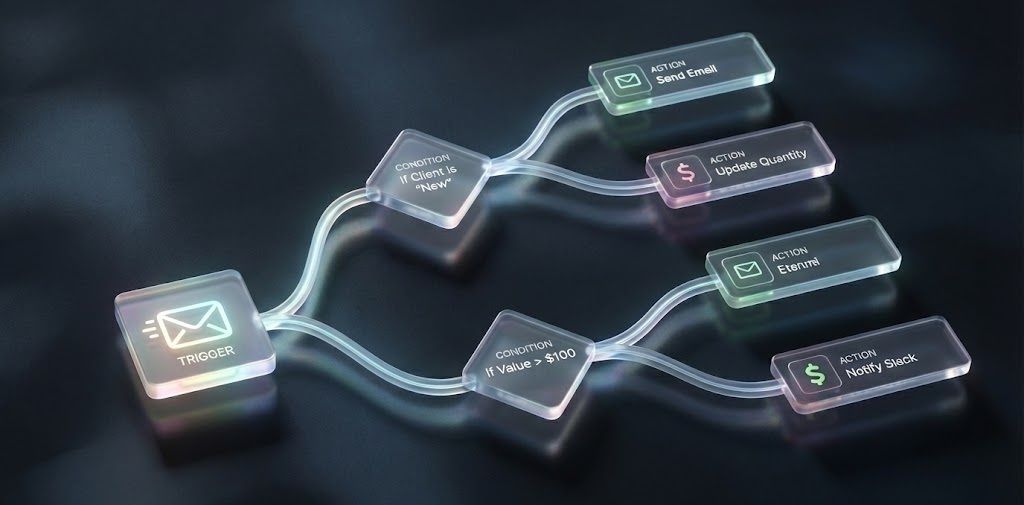
30 Follow-Up Messages Proven to Build Trust and Drive More Sales on eBay
Running a successful eBay business requires more than good pricing, clean photos, or strong item specifics. One of the most underrated forces behind higher conversion rates is follow-up communication. Buyers do not simply make a purchase based on logic. They buy when they feel confident, supported, and informed. That confidence comes from timely, helpful follow-up messages written in the seller’s authentic voice.
Most sellers never follow up at all. They wait for the buyer to return, hope the buyer checks out, or assume that eBay's automated notifications are enough. The truth is that eBay notifications do almost nothing to help conversions. Buyers barely notice them, and they rarely answer the questions that matter.
Follow-up messages sent by the seller, however, are different. They reduce uncertainty, eliminate confusion, and show buyers they are dealing with someone who cares about the transaction. They are short, simple, and often surprising to the buyer because most sellers do not send them. This surprise becomes an emotional advantage, especially when competing sellers are silent.
This guide breaks down the psychology of follow-up messages, the real reactions eBay buyers have when they receive them, and the 30 most effective follow-up templates eBay sellers can copy, paste, and use immediately. The templates are written in a seller-to-seller tone that feels natural, confident, and clear. They use placeholders like item type, buyer name, item title, and size so you can easily personalize each message or automate them through tools like MyListerHub.
Before we start, if your goal today is to improve views and impressions through listing refresh tactics instead of messaging, you should read the guide about how to Optimize Stale Listings on eBay: Proven Tips to Boost Visibility and Sales
Let’s dive deeper into why follow-up messages are so powerful.
Why Follow-Up Messages Increase eBay Conversions
eBay Buyers want certainty. They want to feel that the seller is active, attentive, and reliable. When a buyer asks a question, they already have interest. A follow-up message keeps the momentum alive. It signals that the seller is engaged, which is one of the strongest indicators of trust.
A good follow-up message reduces friction. It reassures the buyer that help is available, the item is as described, and their concerns matter. eBay Sellers who send follow-up messages or automated replies often hear buyers respond with comments like, “Thanks for checking in” or “I just placed the order” or “I appreciate your help”.
Follow-ups outperform price drops, promoted listings, and algorithm tweaks because they speak directly to the buyer’s emotions. They show the human behind the listing. And when communication is consistent, conversions rise naturally.
For more examples of how communication contributes to seller growth, read How eBay Sellers Have Expanded Their Businesses in 2025 Thanks to MyListerHub
How eBay Buyers React When Sellers Actually Communicate
eBay Buyers are often shocked when a seller sends a thoughtful follow-up message. Many are used to being ignored or receiving minimal, generic responses. They may ask questions about a low-ticket item and expect no reply. When the seller follows up with clarity and accuracy, it creates a strong impression.
An eBay buyer searching for a ring want to get the correct ring size. When the seller send automated message confirming the ring size the customer purchased and offering to resize it, the buyer feels supported. Another buyer who asks about auto part compatibility might receive an automated message reminding them to confirm their year, make, and model. These touches reduce returns and help buyers purchase confidently.
Buyers remember sellers who communicate clearly. They trust them. They buy from them. And in many cases, they return to them. Follow-up messages and automated messages create a cycle of loyalty that lasts long after the sale.
The Role of Automation in Sending Follow-Ups
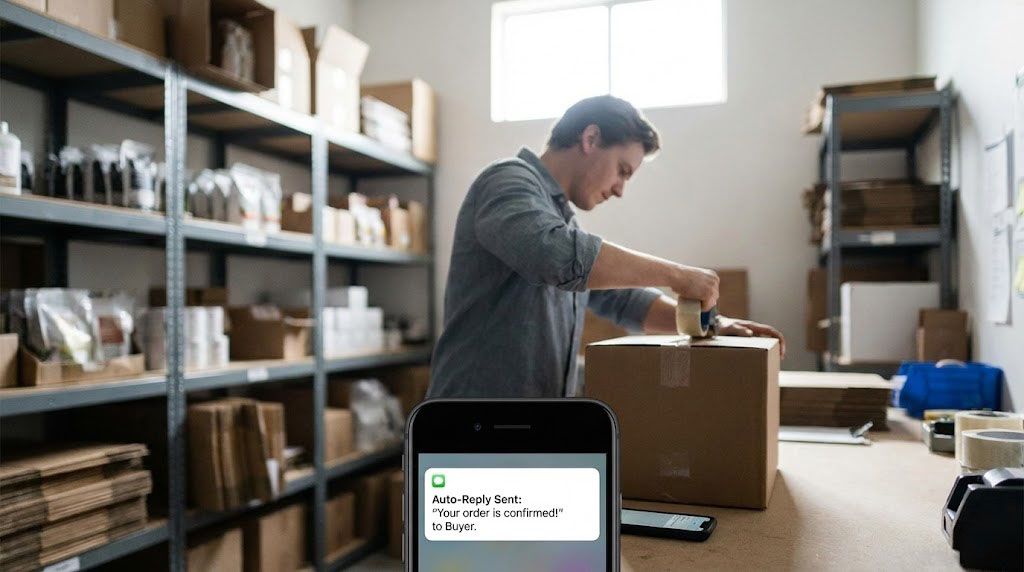
Most eBay sellers cannot send consistent follow-ups manually, especially as their business grows. It is not sustainable to track every conversation, follow every buyer who asked a question, or remember who needed confirmation about size or condition. Automation solves this problem by delivering well-written, seller-voiced messages on time.
Buyers do not care whether the message was automated or manual. They only care that the seller responded promptly and clearly. A well-crafted automated follow-up feels personal because it uses the seller’s tone and addresses the buyer’s needs directly. It removes delays and ensures no buyer falls through the cracks.
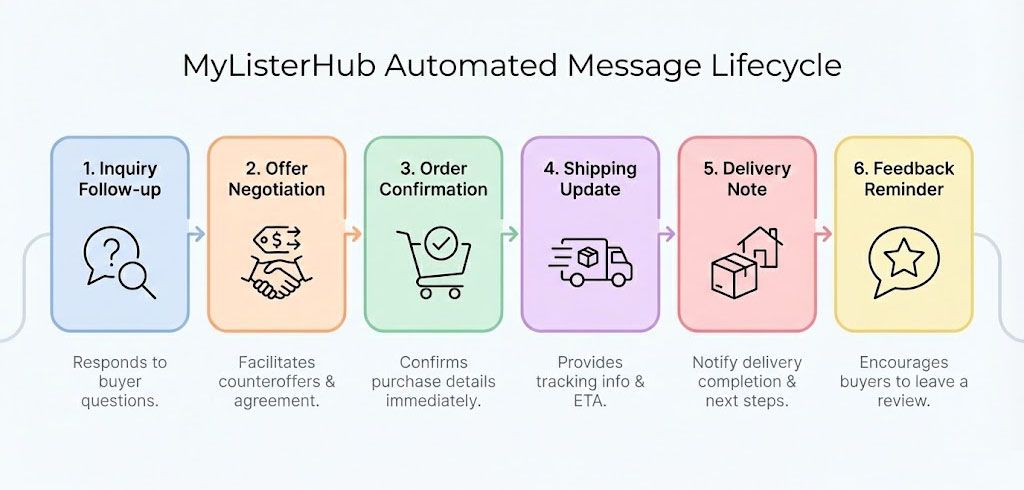
MyListerHub allows sellers to automate these follow-ups using triggers, conditions, and variables. The messages below can be automated or sent manually. Either way, they help drive more sales and reduce returns. With automation, sellers can create any follow-up flow they can imagine. The possibilities are unlimited.
Below are 30 Short, Direct, High-Conversion Messages Templates for Real eBay Buyers, each labeled clearly and written in a seller-to-seller hybrid tone. The placeholders make them easy to personalize or automate.
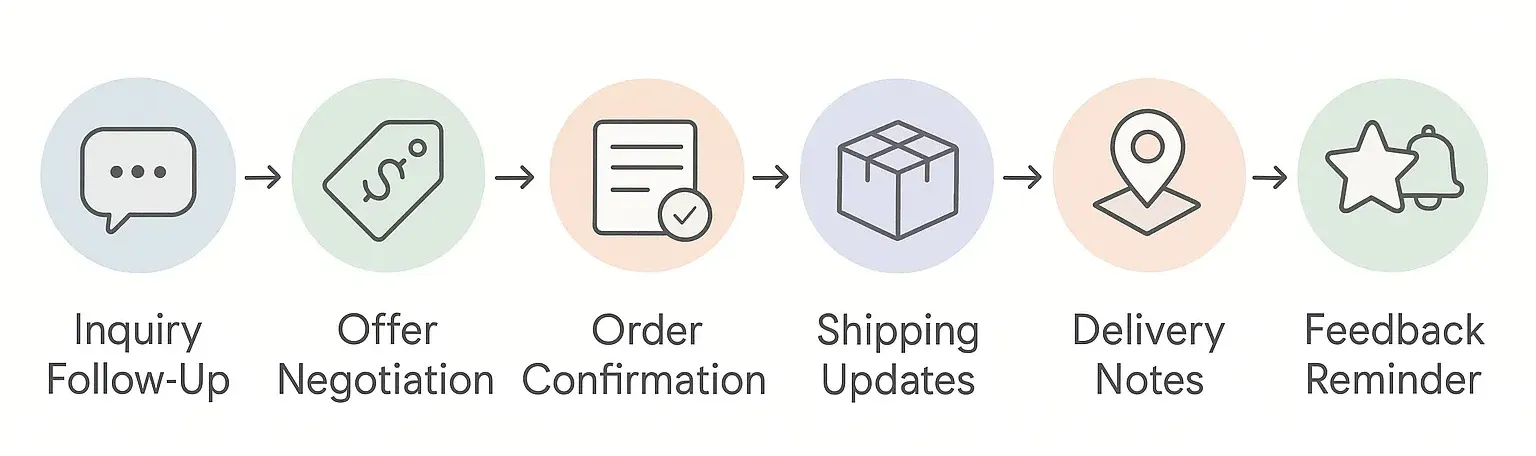
Inquiry Follow-Ups: Turning Questions Into Sales
Most eBay shoppers ask a question and disappear. These automated follow-ups reconnect with interested buyers, keep your listing top-of-mind, and gently push the conversation toward a purchase without sounding pushy.
1. 1st Follow-Up After Customer Inquiry
"Hi [buyer name], just checking if you still need info about the [item type]."
This reopens the conversation while it is still fresh and reminds the buyer you answered their question. Many buyers get distracted and never come back unless you nudge them.
When to send: 2–3 hours after you answered their question.
2. 2nd Follow-Up After Customer Inquiry
"Hi [buyer name], haven’t heard back; let me know if you’re still interested in the [item type]."
This keeps you on their radar without sounding pushy. It often pulls back buyers who were interested but forgot to reply or got busy.
When to send: 12–24 hours after message #1.
3. 3rd and Last Follow-Up After Inquiry (With Promo)
"Hi [buyer name], last follow-up from me; if you still want the [item type], I can offer a small discount today."
This final message introduces a concrete incentive and sets a clear end to the follow-ups, which helps deal-focused buyers decide quickly.
When to send: 24–48 hours after message #2.
Smart Price Nudges: When a Buyer Shows Interest
Price drops and limited-time sales are powerful triggers for deal-driven eBay buyers. These automations notify buyers at the perfect moment, giving them a timely reason to complete the sale.
4. Price Drop Reminder
"Hi [buyer name], quick note that the price on the [item type] you asked about is now lower."
This targets buyers who were on the fence because of price. When they see a lower price on something they already considered, the conversion rate jumps.
When to send: 1–3 hours after price drop.
5. Item Now on Sale
"Hi [buyer name], the [item type] you inquired about is now on sale until Saturday night."
Limited-time sales work well for bargain-focused eBay buyers. This message feels like a tip, not a hard sell, and often nudges them to act before the deal ends.
When to send: When the sale begins.
Offer Negotiation Automations: Recovering Dead Deals
Expired offers, declines, retractions — most sellers let these slip away. These messages reopen stalled negotiations, guide buyers back to the table, and help you close more deals without lowering your standards.
6. Expired Offer (Customer Didn't Respond or You Missed It)
"Hi [buyer name], the offer on the [item type] has expired; let me know if you’re still interested."
This covers both cases (you missed the offer or they never accepted your counter). It reopens a negotiation that is otherwise dead.
When to send: 1–2 hours after expiration.
7. Offer Retracted by Customer
"Hi [buyer name], I saw you retracted your offer on the [item type]; you’re welcome to send another one."
This keeps the door open without pressure and shows you are fine continuing the conversation if they want to.
When to send: 30–60 minutes after retraction.
8. Declining a Lowball Offer (Offer 50% Below Asking)
"Hi [buyer name], your offer was too low for the [item type], but you’re welcome to send a more reasonable one."
This sets a boundary without being rude. Serious buyers will often come back with a better offer when you give clear direction.
When to send: Immediately after decline.
9. Declining a Low Offer (Offer 20–50% Below Asking)
"Hi [buyer name], your offer on the [item type] was a bit too low; if you come closer, I’ll try to make it work."
This invites the buyer to stay in the game and signals flexibility within limits, which keeps negotiations alive.
When to send: Immediately after decline.
10. Offer Declined by Customer (They Declined Your Counteroffer)
"Hi [buyer name], I saw you declined my counteroffer on the [item type]. I would love to have you as a customer; what’s the highest you can pay?"
Many buyers will never state their number unless asked directly. This cuts through the back-and-forth and often lands a deal quickly.
When to send: 10–20 minutes after decline.
Order & Payment Automations: Clear, Fast, Professional
Once a buyer places an order, communication must be fast and clean. These templates confirm the purchase, handle unpaid orders, and reduce buyer uncertainty so you can move smoothly into fulfillment.
11. Order Received Message
"Hi [buyer name], thanks for your order of [item title]; I’ll start processing it soon and keep you posted."
This immediately confirms you are active and working on it, which reduces buyer anxiety right after purchase.
When to send: 5 minutes after order.
12. 1st Payment Reminder (for listings without immediate payment policy)
"Hi [buyer name], your order for [item title] is waiting for payment; let me know if you have any questions."
Short reminders like this recover a lot of unpaid orders without sounding pushy or needy.
When to send: 2–4 hours after order.
13. 2nd Payment Reminder
"Hi [buyer name], just a reminder that payment is still pending for [item title]."
This keeps the order visible in the buyer’s mind and pushes them to either pay or cancel, which cleans up your pipeline.
When to send: 24 hours after reminder #1.
14. 3rd and Last Payment Reminder (With Incentive)
"Hi [buyer name], last reminder for [item title]; I can include a $5 discount if you pay for it today."
Buyers often act when they hear “last reminder” plus a clear benefit. This stops endless waiting and creates a natural end point.
When to send: 24–48 hours after reminder #2.
15. Multi-Item Purchase Message
"Hi [buyer name], thanks again for your orders; I’ll ship all your items together."
This reassures buyers who bought multiple items that you are handling everything efficiently and gives them confidence in your process.
When to send: 15–30 minutes after multi-item purchase.
SNAD Prevention: Size, Fit, and Compatibility Checks
Most “item not as described” returns aren’t fraud — they’re misunderstandings. These automations verify ring sizes, clothing sizes, and auto part compatibility to prevent costly mistakes before they happen.
16. Auto Part Compatibility Check
"Hi [buyer name], before I ship [item type] OEM [OEM #], can you confirm your [year/make/model]?"
Fitment returns are expensive. Confirming details here prevents the most common and costly problem in auto parts.
When to send: 5–10 minutes after purchase.
17. Ring Size Confirmation
"Hi [buyer name], the ring you ordered is size [size]; let me know if you need to resize it, I can do it for free if needed."
This protects both sides from size issues and makes you look careful and professional, especially in jewelry.
When to send: 5–10 minutes after purchase.
18. Clothing Size Confirmation
"Hi [buyer name], just confirming the [item type] is size [size]; let me know if you need a different size."
Clothing sizing varies; this simple confirmation prevents many “doesn’t fit” returns.
When to send: 10–20 minutes after order.
Upsell Automations: Easy Ways to Increase Order Value
The best time to increase revenue is after the buyer is already committed. These automations offer bundles, multiples, and relevant add-ons that feel helpful, not salesy, and convert extremely well.
19. Multi-Quantity Discount Offer
"Hi [buyer name], if you need 2 or 3 of this [item type], I can give you a better price on multiples."
This works well for consumables and parts where buyers may take extras if the deal is good enough.
When to send: 10–20 minutes after order.
20. Bundle Offer
"Hi [buyer name], if you want to add [bundle item] with your [item type], I can give you a discount."
Boosts average order value by suggesting logical add-ons.
When to send: 10–20 minutes after order.
21. Category-Based Add-Ons
"Hi [buyer name], thank you for your order; we are running a special on [relevant add-on options]. I can include it for an additional [add-on price]."
This message turns one sale into a relationship by offering logical extras: cleaning kit for sneakers, phone case or screen protector for mobile devices, laptop sleeve with laptops, lens cleaning kit for cameras, travel pouch for beauty devices, grading services for sports cards, or appraisals for jewelries. You can offer an ass-on or a service in almost every category.
When to send: 10–20 minutes after order.
Shipping Status Automations: Zero Confusion
Buyers relax when they know exactly where their order is. These automations announce every milestone; preparation, label creation, pickup, out for delivery, signature reminders, and final delivery.
22. Preparing the Order
"Hi [buyer name], your order for [item title] is now being prepared for shipment."
This short update confirms progress and reduces “is my order shipped yet?” messages.
When to send: 1–2 hours after order.
23. Shipping Label Created
"Hi [buyer name], your label is created for [item title]; tracking is [tracking #] and it will scan soon."
Tracking numbers calm buyers instantly and act as proof you are doing your part.
When to send: Immediately after label creation.
24. Carrier Picked Up
"Hi [buyer name], your [item type] is now with the carrier in transit."
This lets the buyer know the package is moving and not sitting in your workspace.
When to send: After pickup scan.
25. Out for Delivery
"Hi [buyer name], your [item type] is out for delivery today."
This sets expectations and makes the final step feel smooth and under control and reduces “Where is my package?” messages.
When to send: When tracking updates.
26. Out for Delivery (Signature Required)
"Hi [buyer name], your [item type] is out for delivery today; please make sure someone is home to sign."
Signature-required shipments can cause headaches if missed; this simple reminder prevents failed deliveries and angry messages.
When to send: When tracking updates.
After-Delivery Automations: Care, Feedback & Repeat Business
Once a buyer has the item, your job isn’t done. These automations provide care tips, request feedback, and encourage second purchases; building loyalty and reducing post-delivery issues.
27. Package Has Arrived
"Hi [buyer name], your [item type] shows delivered today; let me know how you like it."
This closes the loop and gives the buyer a clear channel to raise an issue with you instead of going straight to a claim or bad feedback.
When to send: 1–3 hours after delivery.
28. Care Tips
"Hi [buyer name], here are quick care tips for the [item type] if you need them."
A small touch like this makes you look like a pro and reduces misuse or avoidable returns.
When to send: 1–2 days after delivery.
29. 1st Feedback Reminder
"Hi [buyer name], if everything looks good with the [item type], a quick feedback would be appreciated."
Many buyers never leave feedback unless they get a simple, neutral nudge like this.
When to send: 3–5 days after delivery.
30. 2nd and Final Feedback Reminder (With $5 Coupon)
"Hi [buyer name], if you’re happy with the [item type], positive feedback really helps; I can also give you $5 off your next order."
Tying feedback to a future benefit helps you stand out and encourages both feedback and repeat purchases.
When to send: 5–10 days after the 1st Feedback Reminder.
Why eBay Follow-Up Templates Work?
Follow-up messages work because they reach buyers at the exact moment when uncertainty is highest and confidence is lowest. A buyer who asks a question is already interested. They are simply waiting for reassurance. When the seller follows up with clarity, it removes hesitation. These moments matter more than any promoted listing, price drop, or algorithm trick because they speak directly to the buyer’s concerns.
The templates above targets a specific psychological barrier and reduce fear, prevent confusion, confirm you are seller attentive, revive conversations, reduce delivery uncertainty, and show the buyer there is real help available if anything goes wrong.
Buyers shop emotionally, and Follow-up messages create emotional safety, and emotional safety creates conversions.
When follow-ups are consistent, buyers start to trust the seller. They see professionalism. They feel taken care of. They stop comparing your listing to others because your communication stands out.
This is why follow-up messaging remains one of the most powerful and underutilized conversion tools on MyListerHub.
For more insights about communication behavior and buyer psychology, you may want to read how to Improve Customer Communication on eBay and Increase Your Sales with MyListerHub
How MyListerHub Automates Messages and Follow-Ups?
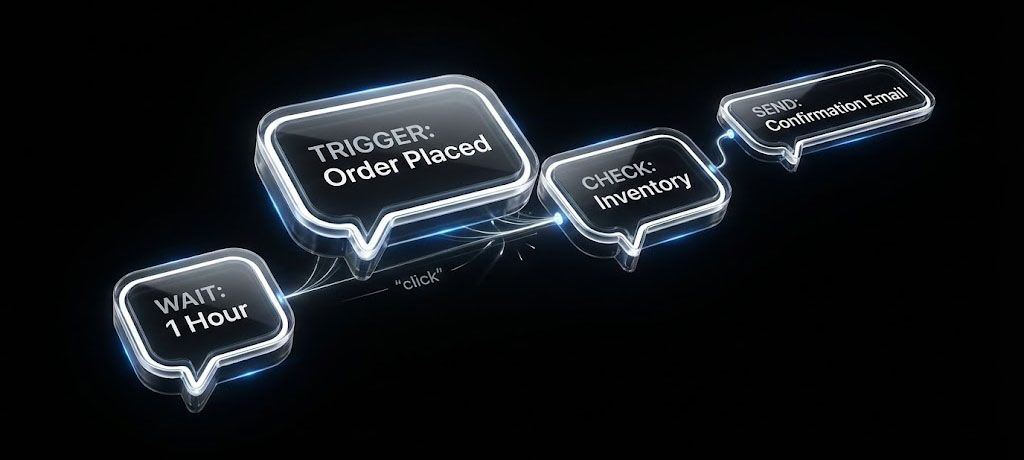
Follow-up messages work best when they are delivered consistently. Most sellers cannot manually send them across dozens or hundreds of listings each week. This is where automation becomes essential. Tools like MyListerHub allow you to assign triggers, filters, and actions that send these follow-ups at the exact right time.
A few examples include:
A follow-up after answering a question can be triggered 12 hours after your reply. A ring size confirmation can be triggered immediately after an order is placed in the jewelry category. A compatibility confirmation can be triggered whenever an auto part is purchased. A payment reminder can be triggered automatically if payment is not completed quickly. A delivery confirmation message can be triggered as soon as the carrier marks the item as delivered.
Because the templates include variables like buyer name, item title, tracking link, category name, price, and more, they feel human even though they were generated automatically. Automation does not make messages robotic. Poor writing makes messages robotic. When the templates are strong, automation enhances your professionalism.
Most importantly, these 30 templates are only the beginning. With the correct automation rules, sellers can build unlimited follow-up chains. You can create custom flows for high-value items, low-value items, weekend orders, international shipments, repeat customers, and more. If you can imagine it, you can automate it.
To explore more ways to optimize your daily workflow and reduce manual work, read How to Simplify Inventory Management for Your eBay Business
A Seller’s Day Before and After Follow-Up Automation
Before automation, sellers often feel overwhelmed. They miss questions. They forget who needed measurements. They lose track of buyers waiting for fitment confirmation. They ship items without verifying sizes. They receive preventable returns. Their inbox becomes cluttered and unmanageable. Buyers feel ignored, and many choose competitors who respond faster.
After automation, the entire experience changes; every buyer receives a timely message, every question has a follow-up, every sizing or compatibility concern is addressed before shipping, every delivery is acknowledged, and every return risk is reduced and every buyer feels supported, even when the seller is offline.
The result is higher conversions, fewer headaches, and less stress. Follow-up messaging becomes a system instead of chaos. Sellers regain their time while still providing a level of communication that most competitors never match.
For sellers who want to solve consistent buyer issues like low impressions or poor visibility, read Why Your eBay Listings Still Aren’t Getting Views

Common Questions Sellers Ask:
How do follow-up messages increase sales on eBay?
Follow-up messages increase sales by reducing buyer uncertainty, clarifying important details, and showing that the seller is attentive. When buyers feel supported and informed, they make faster purchasing decisions and trust the seller more.
Why are personalized messages more effective than eBay notifications?
Personalized messages from the seller feel human and relevant, while eBay notifications are generic. Messages written in the seller’s voice provide reassurance, answer specific concerns, and create trust, which leads to higher conversion rates.

by Alon Dostov

by Alon Dostov
Get More eBay Seller Updates
Follow MyListerHub as a preferred source on Google and see more of our eBay seller news, guides, and industry updates.