Where Most Auto Parts Sellers Get Fitment Wrong on eBay (And How to Fix It in 2026)
Learn the most common eBay fitment mistakes auto parts sellers make in 2026 and how to fix them so you cut wrong-part returns and protect your margins.
December 5, 2025

eBay Fitment Guide 2026: Biggest Compatibility Mistakes Auto Parts Sellers Make
If you sell auto parts on eBay or you are about to start, you already know the one question that can ruin your day: “Will this fit my car?”
Get the answer wrong, and you do not just lose a sale. You eat shipping both ways, you get a frustrated buyer, and you risk a bad return reason on your account. For auto parts sellers, fitment is not a detail. Fitment is your reputation.
The good news is that most of the problems sellers face with “wrong part” returns on eBay are predictable. They come from the same handful of mistakes over and over again. Once you understand where most sellers get fitment wrong and put a simple system around it, your returns drop, pre-sale questions shrink, and your feedback gets cleaner.
This article is a straight, seller-to-seller breakdown of:
- What eBay fitment really is in 2026
- Where most parts sellers mess it up
- How to fix your data without burning your whole catalog down and starting over
- Where a tool like MyListerHub fits into the picture
What “Fitment” Really Means?
On eBay, fitment is called parts compatibility. It is a structured data feature that lets you tell eBay exactly which vehicles a part fits – year, make, model, trim, engine, and sometimes extra notes.
When you create a parts and accessories listing and use compatibility:
- you can add up to around 3,000 vehicle combinations per listing in eligible categories
- buyers can filter by their specific vehicle and only see parts that match
- your listing title and description do not have to waste space listing every year and model
- your parts become eligible for programs like eBay Guaranteed Fit when the compatibility table is filled in correctly
From the buyer side, eBay even says it clearly: parts compatibility exists so buyers can trust that a part will fit, see only matching listings, and ask fewer questions. When you ignore or rush fitment, you are fighting against how the entire Motors search experience is designed to work.
From your side as a seller, that means something simple: If the compatibility table is wrong, the whole listing is wrong. Even if your title, photos, and description are perfect.
If your main struggle right now is simply getting more eyes on your listings, not just cleaning fitment, you may want to read How to Get More People to View Your eBay Listings
Why Fitment Is Life Or Death For Auto Parts Sellers
In most categories, a slightly vague listing might mean more questions. In auto parts, it means:
- returns that say “item not as described” because it did not fit
- refunds plus return shipping just to stay out of trouble
- wasted packing and handling time
- damaged parts that cannot be resold as new
- buyers who never shop with you again
All of that comes out of your pocket.
Think about it the same way you think about comeback jobs in the shop. One misdiagnosis or one incorrect part can cost a tech hours. On eBay, one wrong fitment entry can turn a perfectly good part into a loss.
The upside is that most of this is fixable. The problem is not that fitment is impossible. The problem is that most sellers cut corners in exactly the same ways.
Where Most Auto Parts Sellers Get Fitment Wrong?
Let’s get to the painful part. These are the mistakes that quietly destroy profits for many sellers. If you are honest, you will probably see yourself in at least a few of them.

1. Copying Fitment From Random Competitors
The fastest way to create a listing is to find someone already selling the part, hit “sell similar,” and let their compatibility do the rest. Every parts seller has done it. The issue is simple: If their data is wrong, you just cloned their problem.
You have no idea where they got their fitment. Maybe they guessed. Maybe they copied someone else. Maybe their data is 5 years old and hasn't been updated. The first mistake you need to stop making is treating random competitors as your catalog.
Use competitors for market checks – pricing, photo ideas, title angles. Do not use them as your source of truth for fitment.
2. Trusting Old Spreadsheets No One Believes Anymore
Most established parts businesses have at least one ancient Excel file or export from an old system that someone calls “the catalog.”
The problems show up fast:
- half the fitment fields are blank
- notes are written five different ways
- superseded numbers never got updated
- people fix things on the eBay listing only, so the master file never changes
Over time, staff quietly stop trusting the file. They work around it, patching fitment directly on eBay or in whatever listing tool they use. That means your “catalog” and your live listings drift apart, and nobody really knows which one is right.
If your team jokes about “the old spreadsheet nobody touches,” that is a fitment problem waiting to explode.
3. Ignoring Engine, Trim, And Submodel Details
This is one of the biggest, most expensive mistakes: treating “year and model” as good enough.
On the ground, people say things like:
- “It fits all Camrys from 2018 to 2022.”
- “If it is a 1500, it should be good.”
Online, that is dangerous. eBay fitment is built around specific combinations like year, make, model, trim, engine – for a reason. A part that fits a 2.5L four-cylinder may not fit the 3.5L V6. A part that fits a non-hybrid may not fit the hybrid version. A part that fits a non-ABS system will cause a comeback if someone installs it on a vehicle with ABS.
When you skip engine codes, trim levels, and special packages just to speed up listing, you are basically inviting “does not fit” returns.
4. Using “Universal” Or “Fits Many” As A Shortcut
“Universal” is one of the laziest and most expensive words in auto parts listings.
You see it everywhere:
- “Universal muffler”
- “Universal wiring kit”
- “Fits many models”
Sometimes that is technically true. A lot of times, it is just code for “I did not want to do the homework.”
Buyers do not read “universal” as “may fit in the right hands.” They read it as “this will absolutely work on my car.” When it does not, you get the blame.
If something truly is universal, you still need to explain in plain language what that means, what limitations exist, and what kinds of vehicles or systems it was designed around. “Universal” should be the exception, not your default escape hatch.
5. Never Updating Fitment When Part Numbers Change
In the real parts world, numbers move. Manufacturers kill old numbers, roll in new ones, and add supersessions. In some businesses, the back counter knows this in their head long before the data ever gets updated anywhere.
Online, that creates chaos:
- title shows one number, box shows another
- fitment table reflects the old range of vehicles
- description contradicts the other two
Now imagine that listing sits for months, gets copied by other sellers, and nobody ever goes back to check it against current catalog data. You have just multiplied a bad fitment seed across multiple sellers and listings.
Your fitment updates need to track your part number updates. If your staff updates the catalog to a new superseded number, the compatibility table for that part family needs to move forward with it.
6. Treating Used Or Salvage Parts As “Good Enough If It Bolted To Something”
Many salvage and used parts sellers assume that if the part physically came off a vehicle, the fitment will “make sense” to anyone shopping for it.
That might work at a local counter, where the buyer is another shop or someone who knows their car. On eBay, buyers may not have the same experience. They search by year, make, model, engine. They trust the compatibility tab and the fit notes eBay shows them.
Used parts actually need more fitment clarity, not less:
- exact donor year, make, model, engine
- clear notes like “with sunroof,” “without navigation,” “with tow package”
- any differences in connectors, sensors, or mounting points
If you wing it, you will get burned. If you treat used fitment with the same seriousness as new catalog parts, your returns will look very different.
7. Mixing Notes, Conditions, And Fitment In The Wrong Places
The last big one is messy data. Sellers often pack fitment, condition notes, and “special cases” all into the wrong fields.
You have seen listings like:
- title: “Door Mirror fits Camry 2018 2019 2020 with blind spot non-heated no camera”
- compatibility: missing or generic
- description: long, inconsistent paragraphs full of “if your car has this, maybe it fits”
That confuses buyers. Fitment belongs in the compatibility table and vehicle-specific notes. Condition belongs where buyers expect to see flaws and wear. Extra fitment filters, like “with tow package,” should be structured and consistent, not randomly sprinkled throughout titles and descriptions.
When your notes are scattered everywhere, buyers do not read them, and the search engine cannot use them.
The Real Cost Of Bad Fitment
Bad fitment is not just “a few returns.”
Every wrong compatibility choice drags problems behind it:
- You pay outbound shipping, then often return shipping, on a part that did nothing wrong.
- You lose time packing, unpacking, inspecting, and relisting.
- The part sometimes comes back in worse condition and is no longer “new.”
- Your return rate and “item not as described” metrics creep up.
- Some buyers do not open a case. They just leave negative or neutral feedback and disappear.
If you sat down and added up what you spent last year on wrong-fit returns – shipping both ways, time, lost value – the number would probably shock you. That is, before you factor in the buyers who never come back or the ones you never see because they clicked on someone else’s listing that looked more confident.
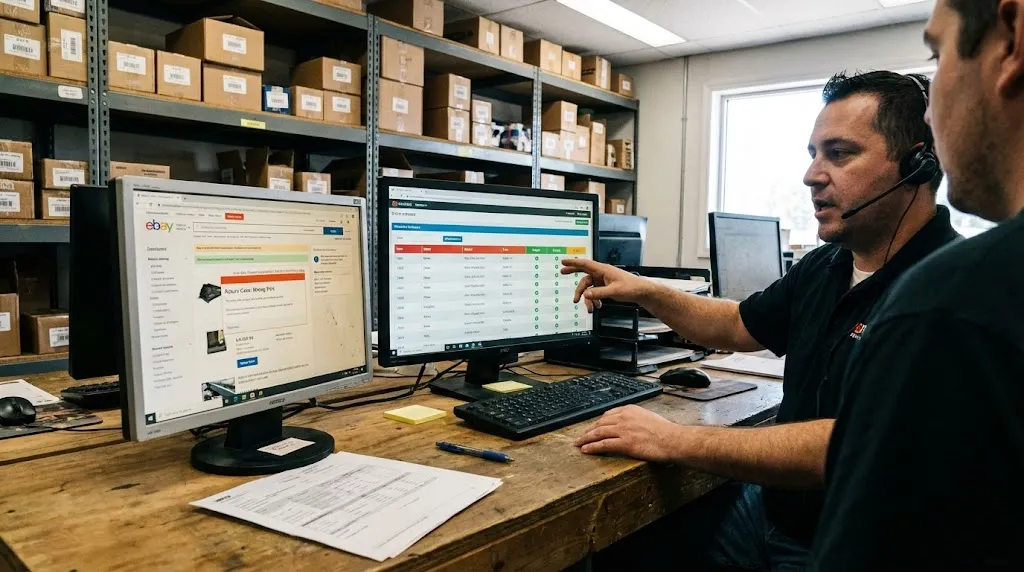
If many of your problem listings are not just wrong on fitment but also old and barely moving, it is worth looking at them as stale inventory rather than only “bad luck.” Our article Optimizing Stale eBay Listings explains how listing age, activity, and refresh cycles interact with fitment and why some parts sit for months even when they are technically correct.
How To Fix Your Fitment Without Starting Over?
Here is the good news: you do not have to rebuild your catalog from zero. You just need a plan.
Think in stages instead of perfection.

Stage 1 – Stop Making New Mistakes
From today forward, make one rule for yourself and your team: No more copying fitment blindly from other sellers.
If you do not have clean data for a part yet, either pull it from a trusted catalog, use a tool that feeds you structured compatibility, or hold that part out of eBay until you do.
This one decision will keep you from digging your hole any deeper.
Stage 2 – Clean Your Top 500 SKUs First
Do not try to fix everything at once. Start where impact is highest.
Pick:
- your best-selling part numbers
- your highest margin items
- and the SKUs that generate the most “wrong part” returns
Audit their fitment and notes. Check each one against a trusted source or your supplier’s data. Fix trim, engine, and package notes. Remove the lazy “universal” language and replace it with specific vehicle coverage.
You will usually see a return rate drop and a question drop just from cleaning this first tier.
Stage 3 – Standardize Notes And Conditions
Decide how you are going to write important notes and stick to it.
For example:
- always say “with tow package” not “towing pkg”, “w tow”, or “for trucks with hitch”
- always say “without ABS” not “no ABS”, “non abs”, or “base brake”
Put those phrases in the same place every time – either in compatibility notes or in a structured bullet in your description – so buyers and staff learn to look for them.
Consistent language makes your catalog feel more professional and makes it easier for a VA or a lister to follow the rules without guessing.
Stage 4 – Turn Fitment Work Into A System, Not A Hero Task
If fitment lives only in one person’s head, or on sticky notes, you are one absence away from chaos.
Instead:
- pick a single source of truth for your fitment data
- keep it in a structured system, not random spreadsheets scattered on desktops
- train a VA or a staff member to maintain it as their core responsibility
- push that clean data into your eBay listings through a tool, not manual double entry
This is where a platform like MyListerHub becomes important, because it lets you treat fitment as centralized catalog data instead of something you fix one listing at a time.
If you prefer a guided diagnosis instead of doing this entirely on your own, you can also request a full Store Assessment. We look at your listing structure, fitment patterns, returns, and visibility data and highlight exactly where your eBay account is leaking profit and where a fitment fix will have the most impact.
Building A Fitment Workflow That Does Not Rely On Your Memory
eBay itself pushes sellers to add full compatibility. It even offers tools like Fitment Plus and Fitment Plus Auto that automatically keep fitment up to date for certain parts when brand and part number information is present. Other services can join ACES or other external fitment data into your feeds so you can attach compatibility tables at scale.
All of that is pointing in one direction: structured data, not guesswork.
In practical terms, your workflow should look more like this:
- Part comes into inventory with brand and part number.
- Catalog or data feed ties that part to specific vehicles.
- Fitment is stored once in a central system like MyListerHub.
- eBay listings pull from that central record and keep compatibility in sync.
- When something changes, you update the core record and push the change out.
What you want to avoid is the old way:
- part comes in
- someone lists it quickly with half-guessed fitment
- another person edits the listing later on eBay only
- nothing ever flows back to the “catalog”
That is how small, understandable mistakes become a permanent return problem.

Once your fitment data is centralized and reliable, you can take pressure off your inbox by letting automation handle the repetitive fitment questions and follow ups. 30 Powerful eBay Message Automations shows how to use smart messages to answer “Will this fit my car?” before it is even asked and to reassure buyers after the sale so they trust your catalog and keep coming back.
How MyListerHub And FitmentPro Help
You already know MyListerHub is built for eBay sellers first, not as a generic inventory app. For auto parts, fitment is one of the biggest reasons that matters.
With a tool like FitmentPro inside MyListerHub, the idea is simple:
- instead of guessing or copying competitors, you tap into structured compatibility for your parts
- you keep year, make, model, trim, and engine fitment in one organized place
- your eBay listings can be created or updated from that single fitment source
Combine that with:
- Cavio AI (AI Listing Creator), which uses your photos to generate accurate titles and descriptions
- message automation, so buyers get clear pre- and post-sale messages that reduce confusion
- and error-checking tools that flag obvious problems before you push listings live
Now you are not hoping somebody “remembers” how a part fits. You are letting the system do the heavy lifting, and your people handle exceptions instead of every single listing.
You do not have to use every single MyListerHub feature on day one. Even using it as your fitment brain and listing engine for your top part families can take a lot of stress out of selling parts on eBay.
A Simple 30-Day Fitment Cleanup Plan
You do not need to rebuild your entire catalog to fix fitment. You just need a short, focused sprint.
If you are using MyListerHub with FitmentPro, a lot of this work becomes faster because FitmentPro can automatically scan your existing eBay listings, flag clearly wrong compatibility, remove bad fitment rows, and add missing vehicles where reliable data exists. Right now, FitmentPro is available only to our beta users and will roll out to all MyListerHub users at the beginning of 2026. If you are not in the beta yet, or you are not using MyListerHub, you can still follow the same structure manually or with whatever system you have now.
Week 1 – Stop the bleeding
- Decide that from now on, you will not copy fitment from random listings.
- Identify your top 200 to 500 SKUs by sales or margin.
- Pull current fitment for those parts from a reliable source or data tool.
Week 2 – Fix and standardize
- Clean compatibility for those top SKUs and update eBay.
- Standardize your notes for packages, trim, and special cases.
- Document a simple house style: how you write key fitment and condition phrases.
Week 3 – Centralize
- Get those cleaned SKUs into your central system.
- Make sure eBay listings are tied to that central data, not free-handed every time.
- Assign one person or VA to be responsible for keeping fitment updated.
Week 4 – Expand and review
- Add another batch of SKUs – maybe your worst offenders for returns.
- Watch your return reasons and fitment questions for patterns.
- Adjust your process, scripts, and templates based on what you see.
At the end of 30 days, you will not have a perfect catalog, but you will have a cleaner, more trusted core, and a system that can scale. From there, cleaning up the long tail is just a matter of time and repetition instead of chaos.
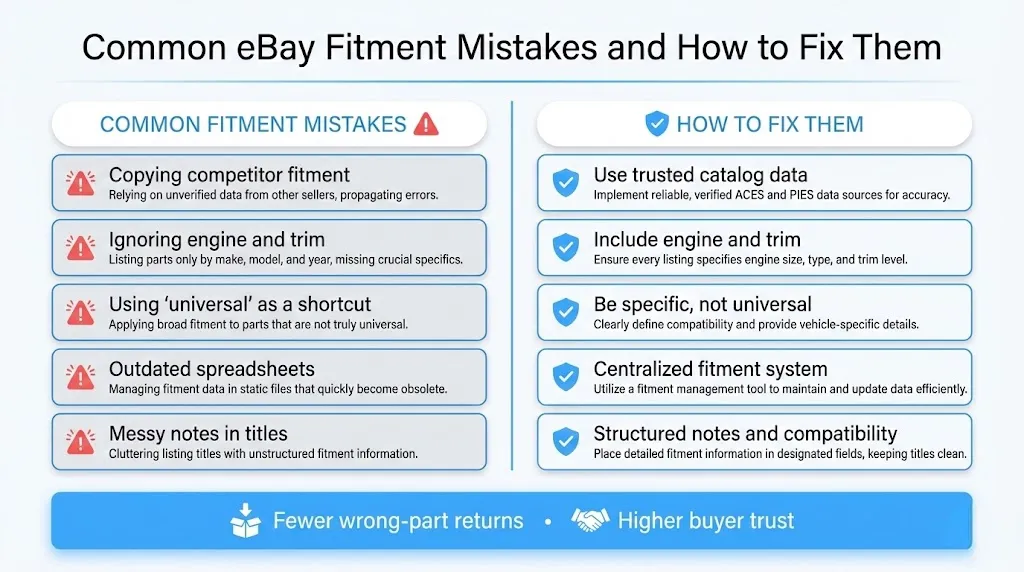
Once your fitment is mostly under control, your next biggest lever is price. Clean compatibility gets the right buyers to the right listings, but your pricing still decides whether they convert or scroll. Our article How to Price Your eBay Listings breaks down practical pricing rules specifically for categories like auto parts so you do not undo good fitment with weak pricing.
Common Questions Sellers Ask:
What is fitment on eBay and why does it matter for auto parts sellers?
Fitment on eBay, also called parts compatibility, is the structured data that tells eBay exactly which vehicles a part fits – year, make, model, trim, and engine. When it is accurate, buyers see “this fits your vehicle” your parts show up in the right searches, and returns drop. When it is wrong or missing, you get “wrong part” returns, frustrated buyers, and lost profit.
What are the most common eBay fitment mistakes auto parts sellers make?
The biggest mistakes include copying fitment from random competitors, trusting old spreadsheets that no one keeps updated, skipping engine and trim details, calling parts “universal” to save time, never updating fitment when part numbers change, and mixing important fitment notes into random parts of the title or description instead of using the compatibility table.
How can I reduce “wrong part” returns on eBay Motors?
Start by cleaning fitment on your top 200-500 SKUs, ensure engine, trim, and package details are correct, remove lazy “universal” claims, and centralize your fitment in one system instead of patching each listing by hand. When you use a tool like MyListerHub with structured fitment data, your compatibility tables become more accurate, and buyers stop guessing.
Do I really need fitment for used and salvage auto parts on eBay?
Yes. Used and salvage parts actually need more clarity about fitment, not less. Buyers still search by year, make, model, and engine, and they rely on compatibility data and notes like “with tow package” or “without navigation” to feel confident about their purchase. If you guess or keep it vague, you will see higher return rates and more negative feedback on those listings.
Get Ready for our Next-Level Fitment and Compatibility
MyListerHub is preparing to launch our most advanced fitment and compatibility tool for eBay auto parts sellers. The goal is simple: give you a clear, controllable view of your YMM data, reduce “did not fit” returns, and connect fitment directly to automation, not just to a catalog screen.
We’re planning to release FitmentPro to all users early next year. Right now, it’s live only for a small group of beta sellers inside MyListerHub while we refine the engine on real-world parts, not demo data.
If you’d like to be one of the first to use it, book a demo and ask to be added to the FitmentPro beta waiting list. We’ll walk you through the platform, see if your inventory is a good fit, and keep you at the front of the line as we expand access.

by Jack Blum
