Best eBay Listing Software for High-Volume Sellers in 2026
Compare the best eBay listing software for high-volume sellers, bulk listings, AI automation, inventory, offers, and order management.
June 17, 2026
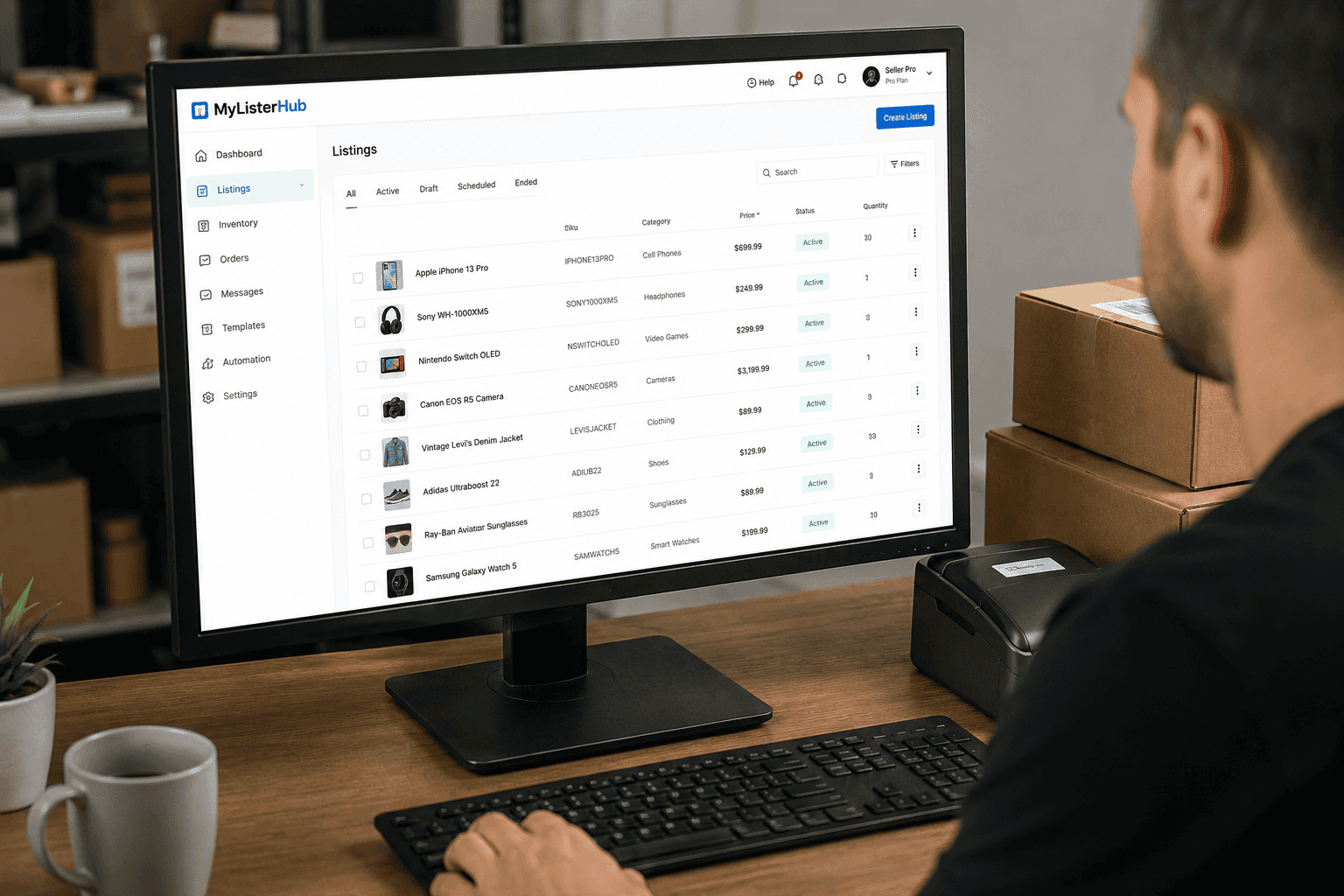
Best eBay Listing Software for High-Volume Sellers in 2026
If you manage hundreds or thousands of listings, the best eBay listing software is not just a faster way to publish products. It should help you create better listings, bulk edit inventory, prevent overselling, automate offers, manage orders, and keep your store moving without drowning your team in manual work.
Fast answer: The best eBay listing software for high-volume sellers in 2026 should include bulk listing creation, AI-assisted listing generation, item-specific optimization, inventory synchronization, listing cycle tools, offer management, message automation, order workflows, and multi-account support. For serious sellers, MyListerHub is built to centralize these workflows so eBay growth does not depend on spreadsheets, repetitive manual edits, or disconnected tools.
High-volume eBay selling is a different game from casual selling. A seller with 25 listings can survive inside Seller Hub with basic manual workflows. A seller with 1,000, 5,000, or 25,000 listings cannot. At that level, every weak process becomes expensive. Poor titles reduce visibility. Missing item specifics block buyers from finding products through filters. Manual inventory updates create overselling risk. Slow offer follow-up leaves money on the table. Disorganized order workflows create delays, defects, and unhappy buyers.
That is why choosing the best eBay listing software matters. The wrong tool only helps you list faster. The right tool helps you operate like a real ecommerce business.
What Makes High-Volume eBay Sellers Different?
High-volume sellers are not only creating listings. They are managing data. Every product may require a title, SKU, price, category, condition, item specifics, description, shipping policy, return policy, inventory location, offer strategy, images, and order workflow. Multiply that by hundreds or thousands of products and the real problem becomes obvious.
The issue is not effort. The issue is control.
High-volume sellers usually need software when they deal with:
- Hundreds or thousands of active eBay listings
- Large batches of unlisted inventory
- Multiple employees or virtual assistants creating listings
- Multiple eBay accounts or marketplace channels
- Frequent price changes, stale inventory, or low-traffic listings
- Inventory stored across shelves, bins, warehouses, or locations
- Repeated buyer messages, offers, returns, and shipping questions
- Category-specific data requirements such as auto parts, electronics, collectibles, watches, apparel, or jewelry
If your store is still small, native eBay tools may be enough. But once listing speed, listing quality, order accuracy, and inventory visibility start affecting revenue, software becomes less of a convenience and more of an operating system.
Best eBay Listing Software: What to Look For in 2026
The best eBay listing software in 2026 should not be judged by one feature. Many tools can publish a listing. Fewer tools can help sellers manage the entire listing lifecycle from product intake to optimization, offers, shipping, and post-sale workflows.
| Feature | Why It Matters | Where MyListerHub Fits |
|---|---|---|
| Bulk Listing Creation | High-volume sellers need to create and publish large batches without rebuilding every listing manually. | Bulk edit and listing tools help sellers move faster across large catalogs. |
| AI Listing Generation | AI can speed up title creation, descriptions, category mapping, and item-specific suggestions. | Photo-to-eBay listing AI helps convert product images into stronger listing drafts. |
| Item Specifics Support | Item specifics help buyers filter, compare, and find listings in search. | MyListerHub helps sellers improve listing data quality at scale. |
| Inventory Management | Overselling, duplicate SKUs, and inaccurate stock counts become serious problems at scale. | Order and inventory workflows help sellers stay organized. |
| Listing Cycle Management | Stale listings need review, revision, relisting, price updates, or offer strategies. | Listing cycle tools help sellers manage listing performance over time. |
| Offer Management | Watchers and interested buyers need smart follow-up without destroying margins. | Offer management automation helps sellers act faster and more consistently. |
| Message Automation | Buyer questions, shipping updates, and post-sale communication can overwhelm teams. | Message automation helps reduce repetitive manual communication. |
| Multi-Account Support | Larger sellers often manage multiple brands, accounts, or teams. | Multiple accounts management helps centralize complex seller operations. |
Why Basic eBay Listing Tools Are Not Enough Anymore
A basic listing tool may help you create a title, upload photos, and publish a product. That sounds useful until your store grows. Then the real bottlenecks appear.
High-volume sellers need answers to harder questions:
- Which listings are stale and need action?
- Which products have missing item specifics?
- Which listings are getting views but no sales?
- Which products should receive offers?
- Which listings need price changes?
- Which team member created or changed a listing?
- Which orders need attention?
- Which inventory locations are accurate?
If your software does not help answer those questions, it is not truly built for high-volume selling. It is just a listing form with a nicer interface.
How eBay Search Makes Listing Quality More Important
eBay listing quality directly affects discoverability. Sellers need strong titles, accurate categories, complete item specifics, useful product identifiers, clear photos, and buyer-friendly policies. A high-volume seller cannot afford to treat these details as optional.
eBay’s own listing guidance emphasizes fundamentals like strong listing data, product identifiers, item specifics, and buyer-friendly details. Item specifics are especially important because they help buyers understand the product and can help listings appear in relevant searches, filters, and category pages.
High-volume listing mistake:
Many sellers try to scale by publishing more listings as fast as possible. That strategy can backfire when the listings are thin, missing specifics, poorly titled, or priced without competitive context. More listings do not automatically mean more sales. Better listings, managed consistently at scale, are what create durable growth.
MyListerHub vs Manual eBay Listing Workflows
Manual listing workflows are simple in the beginning. You take photos, write a title, choose a category, fill out item specifics, set the price, choose shipping, and publish. But when the same process repeats hundreds of times per week, small inefficiencies become major revenue leaks.
| Workflow Area | Manual Process | MyListerHub Approach |
|---|---|---|
| Listing Creation | Write each listing manually from scratch. | Use structured workflows and AI-assisted listing creation. |
| Bulk Updates | Edit products one by one or through limited spreadsheet workflows. | Use bulk edit tools for faster catalog changes. |
| Stale Listings | Guess which listings need updates. | Use listing cycle management to review and improve listings over time. |
| Buyer Offers | Manually check watchers and send offers inconsistently. | Use offer management to build a more consistent conversion process. |
| Messages | Rewrite the same responses again and again. | Use message automation for faster buyer communication. |
| Orders | Track orders manually across tabs and spreadsheets. | Use order management to keep fulfillment organized. |
The Best eBay Listing Software Should Help With the Full Listing Lifecycle
The best eBay listing software does not stop once a listing goes live. That is where weak tools fail. A listing’s job is not finished when it is published. It needs to be monitored, improved, repriced, promoted, refreshed, and eventually fulfilled.
1. Product Intake
The process starts when inventory enters the business. Sellers need a clean way to capture product photos, SKU data, condition details, location, cost, quantity, and category. Without a structured intake process, listing teams waste time hunting for information later.
2. Listing Creation
High-volume sellers need repeatable listing systems. This includes title rules, templates, condition notes, item specifics, category mapping, pricing logic, image standards, and shipping defaults. MyListerHub helps sellers reduce repetitive work through automation and organized listing workflows.
3. Listing Optimization
Optimization means improving the data that affects search visibility and buyer confidence. Titles should be clear. Item specifics should be complete. Descriptions should be useful. Photos should answer buyer questions before they need to message the seller.
4. Listing Cycle Management
A listing that sits for months without selling needs attention. The issue may be price, title quality, poor photos, missing item specifics, weak shipping terms, or a lack of offer strategy. A strong listing cycle system helps sellers avoid letting stale inventory quietly drain cash flow.
5. Offers and Conversion
Watchers and interested buyers are opportunities. But if offers are handled manually, sellers often act too late or discount too aggressively. A better offer workflow helps sellers move inventory while protecting margin.
6. Orders, Shipping, and Follow-Up
Once the item sells, the workflow continues. Sellers need clean order handling, shipping accuracy, tracking updates, buyer communication, and internal accountability. MyListerHub supports this through tools for order management and shipping automation.
Who Should Use MyListerHub?
MyListerHub is best suited for sellers who are serious about scaling. It is not just for someone listing a few random items from their garage. It is for sellers who need a better way to manage volume, accuracy, and performance.
MyListerHub is a strong fit for:
- eBay sellers with hundreds or thousands of active listings
- Auto parts sellers managing compatibility, SKUs, and large catalogs
- Resellers trying to list inventory faster from photos
- Teams using employees or virtual assistants to create listings
- Sellers managing multiple eBay accounts
- Businesses that need better bulk editing and inventory control
- Sellers who want to improve stale listings instead of constantly adding more bad listings
- Operators who want one connected system for listings, offers, messages, orders, and shipping
When Is eBay Seller Hub Enough?
eBay Seller Hub can be enough for smaller sellers. If you only have a limited number of listings, list occasionally, and do not manage a complex inventory operation, you may not need third-party software yet.
But Seller Hub becomes limiting when your business needs speed, structure, automation, bulk workflows, team processes, and deeper operational control. The moment your growth depends on listing more products accurately, improving old listings, managing offers, and keeping inventory organized, dedicated software becomes much more valuable.
Signs You Have Outgrown Basic eBay Tools
If you are not sure whether you need software, look for the symptoms. They are usually obvious.
- You have too much unlisted inventory sitting around.
- Your team edits the same listing data repeatedly.
- You use spreadsheets to track inventory, SKUs, or locations.
- You frequently miss offers, messages, or order details.
- You are unsure which listings are stale or underperforming.
- You do not have a reliable process for bulk editing listings.
- Your listings have inconsistent titles, descriptions, or item specifics.
- You want to scale but cannot hire enough people to keep up.
If two or more of these are true, the problem is not motivation. The problem is your system.
Recommended Internal MyListerHub Tools for High-Volume Sellers
If you are building a serious eBay operation, these MyListerHub tools should be connected inside your workflow:
Final Verdict: What Is the Best eBay Listing Software for High-Volume Sellers?
The best eBay listing software for high-volume sellers in 2026 is the platform that helps you control the full selling operation, not just publish listings faster. Speed matters, but speed without listing quality creates a bigger mess. High-volume sellers need automation, inventory control, bulk editing, offer workflows, message systems, order management, and performance visibility.
MyListerHub is built for sellers who have moved beyond casual listing and need a more serious operating system for eBay growth. If your team is buried in manual listing work, stale inventory, scattered messages, missed offers, and spreadsheet chaos, it is time to stop patching the process and start replacing it.
Ready to Scale Your eBay Listings Without the Chaos?
MyListerHub helps high-volume eBay sellers create better listings, automate repetitive work, manage offers, organize orders, and scale with more control.
Frequently Asked Questions
What is the best eBay listing software for high-volume sellers?
The best eBay listing software for high-volume sellers is software that supports bulk listing, AI-assisted listing creation, item-specific optimization, inventory control, offer management, message automation, order workflows, and multi-account management. MyListerHub is built around these needs for sellers who want to scale more efficiently.
Do I need eBay listing software if I already use Seller Hub?
Seller Hub may be enough for small sellers, but high-volume sellers often need additional automation, bulk editing, team workflows, AI listing creation, inventory structure, and performance tools. If manual work is slowing growth, dedicated listing software can help.
Can eBay listing software help my listings get more views?
Listing software cannot guarantee views, but it can help sellers improve the factors that often affect visibility, including titles, item specifics, categories, descriptions, photos, product identifiers, pricing, and stale listing management.
Is AI useful for eBay listing creation?
Yes, AI can be useful when it speeds up title creation, description writing, category mapping, item-specific suggestions, and pricing research. Sellers should still review AI-generated listings for accuracy before publishing.
What features should high-volume eBay sellers look for?
High-volume sellers should look for bulk listing tools, bulk editing, inventory management, listing cycle tools, offer automation, message automation, order management, shipping support, team workflows, and multi-account management.
Can MyListerHub help with stale eBay listings?
Yes. MyListerHub’s listing cycle tools are designed to help sellers manage listings after they go live, including reviewing stale inventory, improving listings, and building better workflows around underperforming products.
Helpful external resources: eBay Listing Best Practices, eBay Item Specifics Requirements, eBay Promoted Listings Overview.

by Jack Blum
Jack has been selling on eBay since 2002, with deep roots in the automotive and DTC space. His experience comes from running real operations at scale, managing complex parts inventory, fitment accuracy, and customer expectations. He shares practical insights based on what actually works for long-term growth on eBay.

by Jack Blum
Jack has been selling on eBay since 2002, with deep roots in the automotive and DTC space. His experience comes from running real operations at scale, managing complex parts inventory, fitment accuracy, and customer expectations. He shares practical insights based on what actually works for long-term growth on eBay.
Get More eBay Seller Updates
Follow MyListerHub as a preferred source on Google and see more of our eBay seller news, guides, and industry updates.